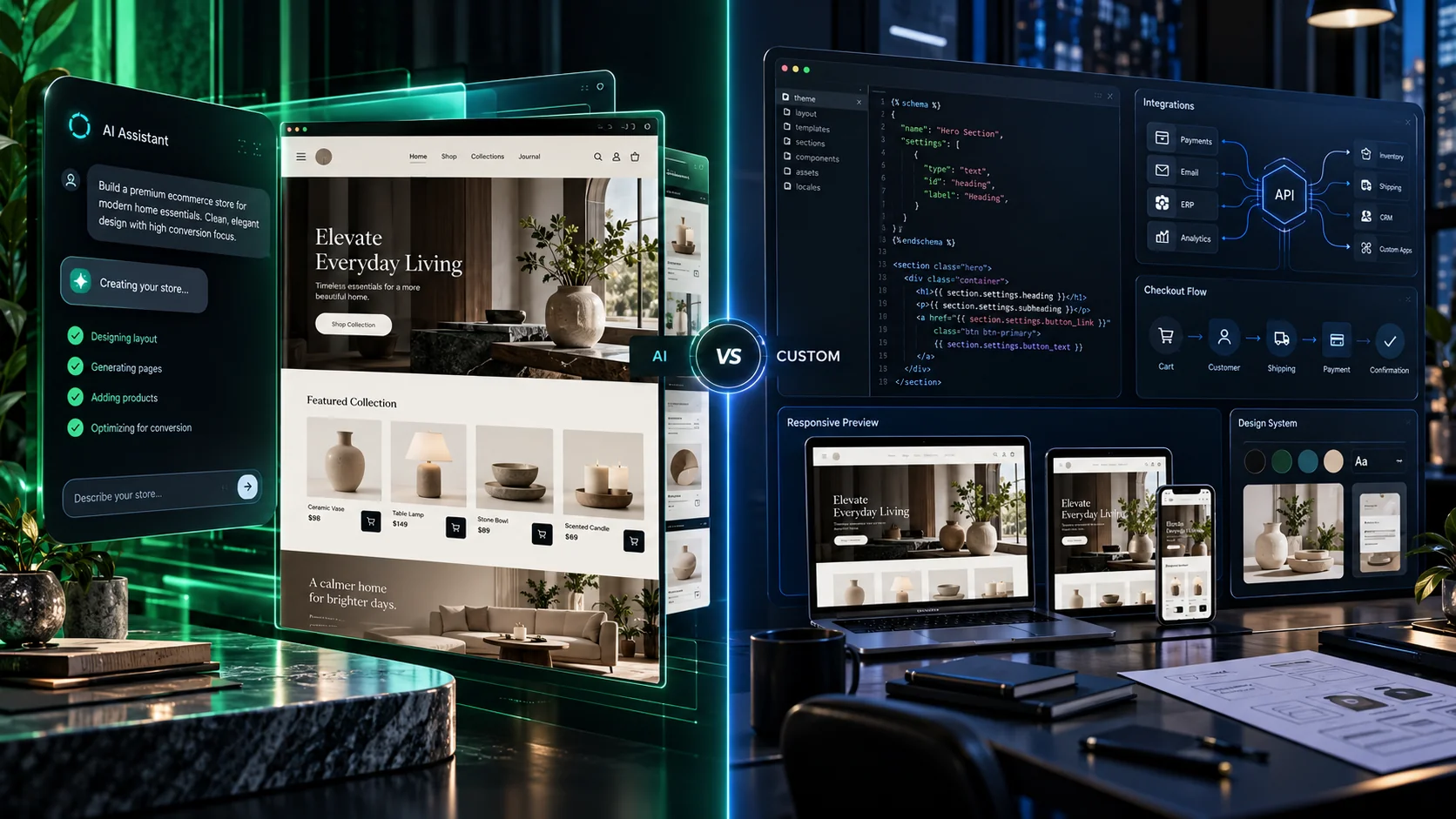
Shopify can now help merchants build a custom-looking online store by describing what they want in plain language.
That raises an obvious question.
Do businesses still need Shopify developers?
On October 1, 2026, Shopify introduced Canvas.
Canvas is a new visual design workspace where merchants can view their store pages together and work with Sidekick, Shopify’s AI agent, to create or change a theme.
Shopify says Sidekick can generate custom theme code, inspect screenshots and refine its changes before handing the result back to the merchant.
You can read Shopify’s official Canvas announcement.
However, Canvas is still early.
Therefore, the real question is not whether AI can design a Shopify store.
The better question is:
When is Shopify Canvas enough, and when does your business still need custom development?
What Is Shopify Canvas?
Canvas is a new way to design Shopify themes.
Instead of editing one page at a time, merchants can see multiple store templates inside one large visual workspace.
You can pan across pages, zoom into sections and edit store content directly.
You can also describe what you want to Sidekick.
For example:
“Create a premium jewellery homepage with a large editorial hero section, featured collections and an elegant product grid.”
Sidekick can then create or modify theme code based on that request.
Shopify’s Canvas Help Center documentation confirms that merchants can build a new theme from a brand description or edit a copy of an existing theme.
Why Shopify Canvas and Custom Development Are Not the Same Thing
Canvas can reduce the amount of manual theme work required for many stores.
That is useful.
However, ecommerce development is much larger than visual theme design.
A real ecommerce project may also include:
- Payment gateway configuration
- Shipping integration
- ERP integration
- Product migration
- Customer migration
- Custom pricing rules
- Subscriptions
- Wholesale workflows
- Multi-country inventory
- Analytics
- Checkout extensions
- Custom applications
Canvas mainly changes how merchants create and edit the storefront theme.
It does not remove every other ecommerce requirement.
Can Shopify Canvas Build a Fully Custom Store?
Shopify describes Canvas as a way to create bespoke stores.
For visual design, it is clearly becoming much more powerful.
Sidekick can make changes ranging from a single section to a broader store redesign.
However, Shopify also says Canvas is still early access.
That matters.
Shopify has not yet made Canvas the default store editor.
In addition, several compatibility gaps remain.
Current Shopify Canvas Limitations
Businesses should understand the current limitations before rebuilding a production store around Canvas.
At launch, Shopify says Canvas does not yet fully support several areas.
Third-Party Theme Compatibility
Shopify says there is not yet full backwards compatibility with third-party themes.
Therefore, merchants using a heavily customized Theme Store theme should test carefully.
Theme App Extensions
Theme app extensions are not currently supported inside Canvas-created or duplicated themes.
This is a major point for stores that depend on app blocks or embeds.
Shopify’s developer guidance states that app blocks and embeds may not appear in themes created or duplicated through Canvas today.
Markets
Shopify Markets is also not fully supported in Canvas at launch.
That can matter for international stores with country-specific content or experiences.
Translations
Translations are another current limitation.
Therefore, multilingual brands should not assume every existing localization workflow will behave identically.
Rollouts
Shopify also says Canvas does not yet support Rollouts.
These limitations may change quickly.
However, businesses should make decisions based on what works today, not only on future promises.
When Shopify Canvas Is Probably Enough
Canvas can be an excellent fit for many merchants.
For example, it may work well when:
- You are launching a simple D2C store.
- You have a relatively standard product catalogue.
- You need a strong visual design quickly.
- Your store uses few custom apps.
- You do not need complex business logic.
- You want to test a new design direction.
For these cases, AI-assisted theme generation can reduce both time and development cost.
When You Still Need a Shopify Developer
The value of a developer becomes clearer as store complexity increases.
1. Your Store Uses Complex Apps
Many successful Shopify stores depend on apps for:
- Wishlist
- Reviews
- Loyalty
- Subscriptions
- Bundling
- Search
- Wholesale
- Localization
If Canvas does not yet support a required extension, a developer may need to keep the current theme architecture or build around the limitation.
2. You Need Custom Business Logic
Visual design is only one layer of ecommerce.
For example, your store may need:
- Complex discount rules
- Vendor workflows
- Custom inventory logic
- ERP synchronization
- Special shipping rules
- Advanced checkout validation
AI-generated sections do not automatically solve those problems.
3. You Need a Complex International Store
International ecommerce can involve:
- Different currencies
- Country inventory
- Localized content
- Different pricing
- Regional shipping
- Tax rules
Because Canvas currently has limitations around Markets and Translations, international merchants should test carefully before migrating important theme workflows.
4. You Need Strong Third-Party Integrations
Many businesses connect Shopify with external systems.
Examples include:
- ERP software
- CRM platforms
- Warehouse systems
- Shipping providers
- Accounting tools
- Custom APIs
These integrations sit outside the visual theme builder.
Therefore, they still require technical planning and testing.
Shopify Canvas vs Custom Theme Development: Quick Comparison
| Requirement | Shopify Canvas | Custom Development |
|---|---|---|
| Fast visual redesign | Strong fit | Strong fit, but slower |
| Simple D2C store | Strong fit | May be unnecessary |
| Complex app extensions | Currently limited | Better control |
| ERP integration | Not the main purpose | Strong fit |
| Complex checkout logic | Limited scope | Strong fit |
| Markets and translations | Current limitations | More flexible |
| Custom API workflows | Limited | Strong fit |
Will Shopify Canvas Replace Theme Developers?
It will probably replace some repetitive theme work.
That is not necessarily bad.
Developers already spend significant time on tasks such as:
- Creating basic sections
- Changing layouts
- Adjusting spacing
- Editing content blocks
AI can speed up these tasks.
As a result, developers can spend more time on problems that require deeper technical judgment.
These include integrations, performance, architecture and complex customer journeys.
AI Is Changing the Role of the Shopify Developer
The role is moving from:
“Write every line manually.”
toward:
“Design the right system, use AI where useful and verify the result.”
This change is happening across software development.
Businesses should welcome tools that reduce unnecessary effort.
However, they should still verify AI-generated code before relying on it for revenue-critical stores.
Can Shopify Canvas Reduce Development Cost?
Yes, especially for design-heavy projects with standard functionality.
For example, a merchant may need:
- A better homepage
- New collection layouts
- Custom promotional sections
- Improved product presentation
Canvas may reduce the engineering time required for those changes.
However, the savings become smaller when most of the project budget comes from integrations or business logic.
Our guide to eCommerce website development cost in 2026 explains why platform subscriptions and theme costs are only part of a complete ecommerce budget.
Does Canvas Mean You Should Redesign Your Store?
No.
A new tool is not a reason to redesign a working ecommerce store.
Start with business data.
Ask:
- Are visitors finding products?
- Is mobile conversion strong?
- Are shoppers reaching checkout?
- Are product pages clear?
- Does the current design reflect the brand?
If the existing experience already works, rebuilding only because a new editor exists may create unnecessary risk.
Use UI/UX Design Before Asking AI to Build Everything
AI can generate a visually attractive section.
However, attractive does not automatically mean usable.
A professional ecommerce flow should consider:
- Information hierarchy
- Navigation
- Product discovery
- Trust signals
- Add-to-cart visibility
- Mobile behaviour
- Checkout friction
Therefore, start with the customer journey.
Then use AI to accelerate implementation.
What About Headless Shopify?
Canvas does not remove the need for headless commerce in every situation.
Headless architecture can still make sense when a business requires a highly customized frontend or multiple commerce channels.
However, it also adds technical complexity.
Our guide to headless commerce development explains when that additional flexibility is justified.
Shopify Is Also Moving Toward AI Shopping Agents
Canvas is only one part of Shopify’s broader AI direction.
Shopify is also expanding how AI agents can interact with storefronts and checkout.
Therefore, future ecommerce architecture needs to work for more than human browsing.
Product data, structured information and reliable integrations will become increasingly important.
What Should Shopify Merchants Do Now?
Do not rush to rebuild your production store.
Instead:
- Check whether Canvas is available for your store.
- Duplicate a theme rather than editing critical production code first.
- Test Sidekick on low-risk design changes.
- Check whether your apps depend on theme app extensions.
- Review Markets and translation requirements.
- Test mobile layouts.
- Test cart and checkout.
- Compare the result with your current theme.
This approach gives you the benefits of AI without creating unnecessary production risk.
How NRS Technologies Approaches Shopify Development
At NRS Technologies, we do not recommend custom code simply because custom code is possible.
If Shopify Canvas can solve a design requirement safely, using it may be the right choice.
However, we use custom development where the business needs more control.
That may include:
- Custom Shopify themes
- Theme customization
- Shopify app integration
- Payment setup
- Shipping integration
- Custom APIs
- International commerce
- Performance optimization
- Headless storefronts
The goal should always be the simplest solution that supports the business properly.
Do You Need Shopify Canvas or a Custom Store?
You do not need to decide based on technology alone.
Start with your requirements.
If you mainly need a fresh visual design, Canvas may be enough.
If your store depends on complex integrations, apps, custom workflows or international requirements, a development team may still be important.
You can review our selected ecommerce and web projects or learn more about NRS Technologies.
Ask NRS Technologies whether Shopify Canvas is enough for your store →
Frequently Asked Questions
What is Shopify Canvas?
Shopify Canvas is a new visual workspace that lets merchants view multiple store templates together and use Sidekick to create or modify theme designs with natural-language instructions.
Can Shopify Canvas build a custom theme?
Shopify says Sidekick can create custom theme code and refine its work based on code validation and visual feedback.
Does Shopify Canvas support third-party themes?
Shopify says full backwards compatibility with third-party themes is not yet available during the early stage of Canvas.
Does Shopify Canvas support theme app extensions?
Not yet. Shopify says theme app extensions are currently unsupported in Canvas-created or duplicated themes.
Does Shopify Canvas support Markets and translations?
At launch, Shopify says Canvas does not yet support Markets, Translations or Rollouts fully.
Will Shopify Canvas replace developers?
Canvas can reduce the need for some repetitive theme-development work. However, businesses may still need developers for integrations, custom logic, complex apps, performance and advanced commerce workflows.
Does NRS Technologies provide Shopify development?
Yes. NRS Technologies provides Shopify development, theme customization, ecommerce integrations, performance work, UI/UX and custom commerce development.
Final Thoughts
Shopify Canvas is an important step forward.
It makes custom-looking ecommerce design much more accessible.
However, a visually custom storefront and a fully customized commerce system are not the same thing.
Use AI where it saves time.
Use developers where architecture, integration and business logic need deeper control.
The strongest ecommerce teams will probably use both.
If you are planning a Shopify redesign and want to know whether Canvas can handle your requirements, contact NRS Technologies for a Shopify review.